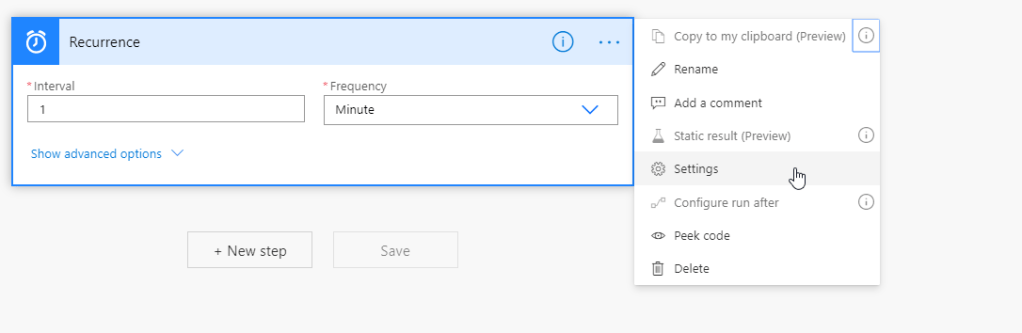
Sometimes it is desirable to only run one flow instance at a time. For example if you have a scheduled flow that are running at a set interval were you are processing some records, you normally do not want another flow instance to start running before you are done processing the first batch to avoid running the same records again. To avoid such scenario, you can enable concurrency control on the trigger. This is done by clicking on the three dots and selecting Settings
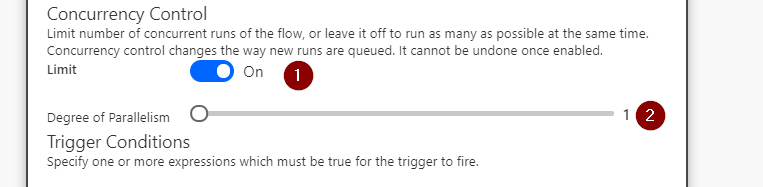
In the new dialog that opens, toggle concurrency control from Off to On and pull the slider down to 1.
Finish by pressing Done

This will ensure that only one instance of your flow are running at the same time.

 No code, Low Code & Just Code